
site:yourdomainname.com
One of the most effective and potent Google search queries is site: operator. It enables you to locate every page from a particular website or domain that is indexed. Google only displays the results from that specific website when you enter site:yourdomainname.com, excluding all other results.
For Example:
site:tosisoft.com → shows all pages indexed from Tosisoft.com.
site:shopify.com blog → displays only blog pages from Shopify’s website.
site:yourdomainname.com contact → shows only pages containing “contact” within your site.
site:competitor.com products → helps analyze your competitor’s product pages.
🔍 Combining site: and intitle: Search Operators
You can limit search results to pages from a given website that have specific words in their page titles by using the site: and intitle: operators.
For Example:
site:domain.com intitle:keyword
like as
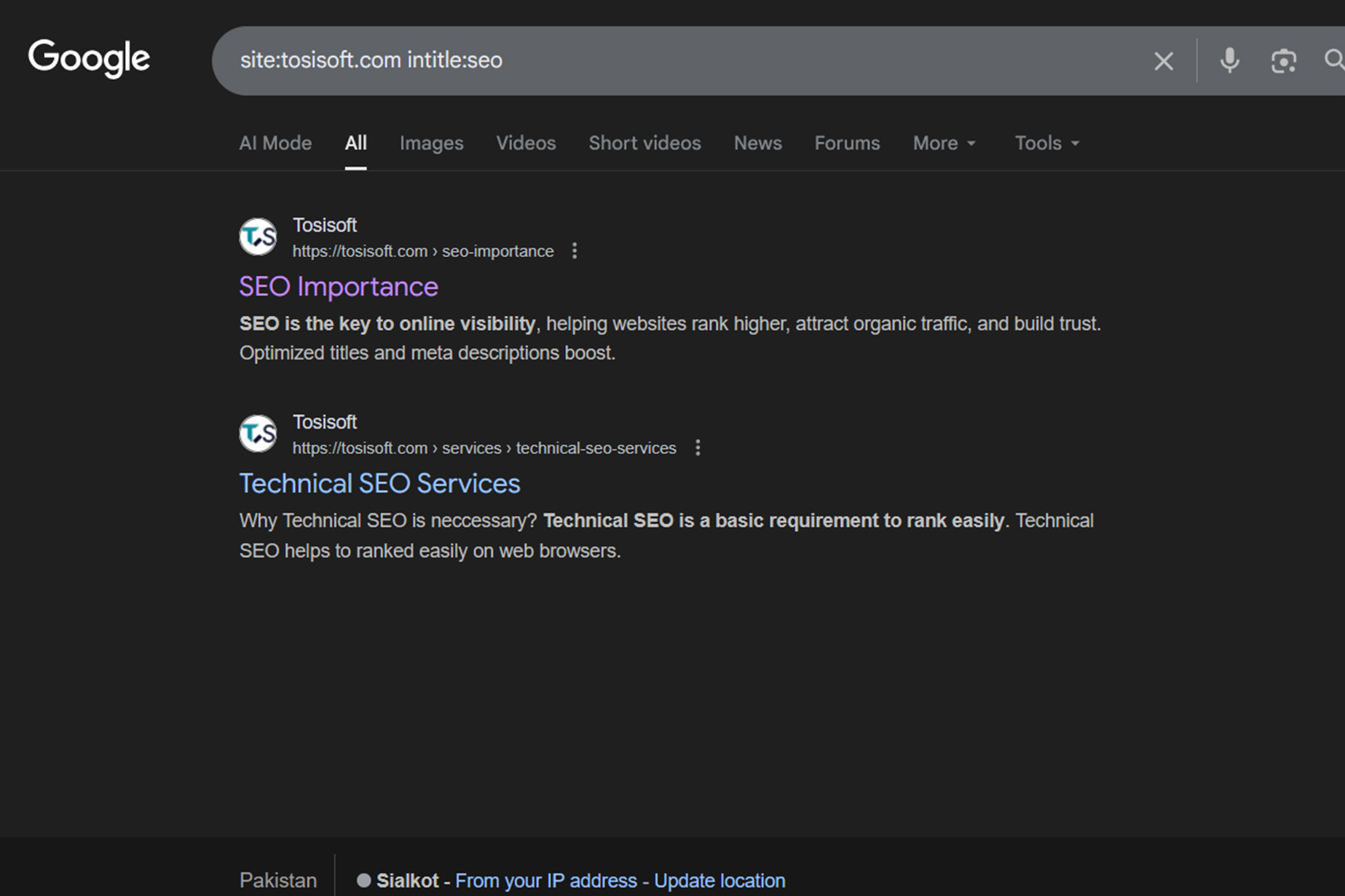
site:tosisoft.com intitle:wordpress development services | tosisoftsite:tosisoft.com intitle:seo
Or To se the shopify themes:
site:shopify.com intitle:themes
Use Case:
- To check how a website uses keywords in page titles.
- To find specific articles, documentation, or sections quickly.
- To analyze how competitors use title optimization for SEO.
🔍 Combining site: + inurl: Search Operators
utilized to locate pages on a specific website that have a given keyword in the URL.
How it works:
site: restricts results to a chosen website.
inurl: filters results to only those URLs that include your keyword.
For Example:
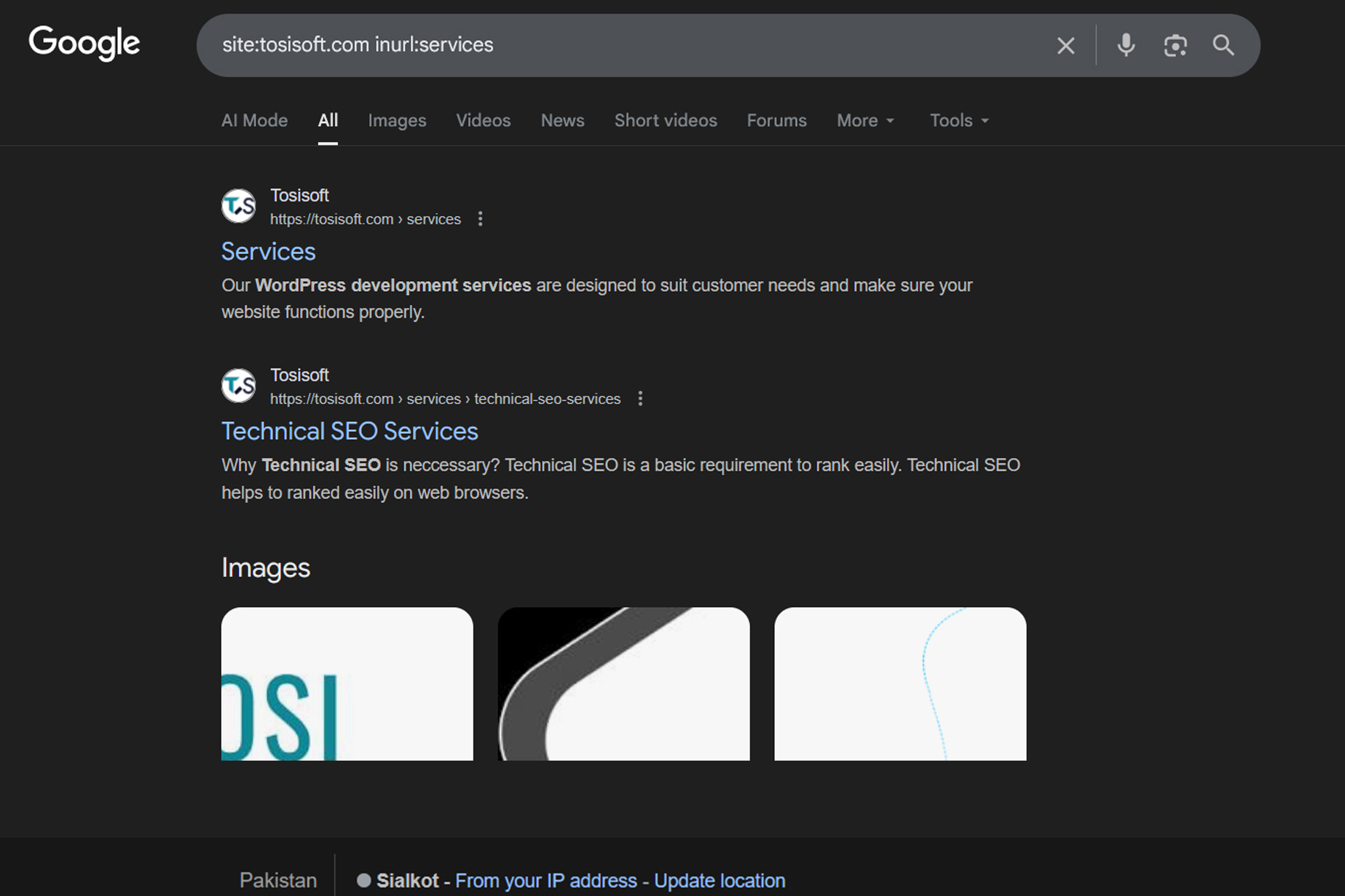
On tosisoft website have this url https://tosisoft.com/about-us/ for about Us Page. So to search this page i used like this -> site:tosisoft.com inurl:about-us
Use Case:
- To locate pages belonging to certain sections (e.g., /blog/, /products/, /category/).
- For developers and SEOs to analyze URL structure and keyword usage.
- To quickly access documentation or posts of a specific type.

🔍 Combining site: + filetype: Search Operators
Finds files of a specific format (PDF, DOC, PPT, XLS, etc.) from a chosen website or across the web.
How it works:
filetype: limits the search to a particular file format.
Combined with site:, it restricts results to that site.
For Example:
For University Website I have seen research paper there!
site:gaus.edu.pk filetype:pdf research paper
site:uol.edu.pk filetype:pdf research paper
Use Case:
- Students or researchers looking for downloadable study material.
- SEOs checking if documents on their site are indexed.
- Professionals finding presentations, reports, or case studies.
🔍 Combining intitle: + inurl: Search Operators
Finds web pages that have a specific keyword both in the title and in the URL.
How it works:
intitle: focuses on the title text.
inurl: filters URLs containing your keyword.
For Example:
intitle:login inurl:login
Use Case:
- Cybersecurity researchers identifying login or admin pages.
- SEOs analyzing URL–title consistency for ranking pages.
- Developers checking page naming conventions.

🔍 Combining site: + OR Search Operators
Allows you to search multiple websites at once for the same keyword.
How it works:
Use OR (in capital letters) between two or more site: operators.
For Example:
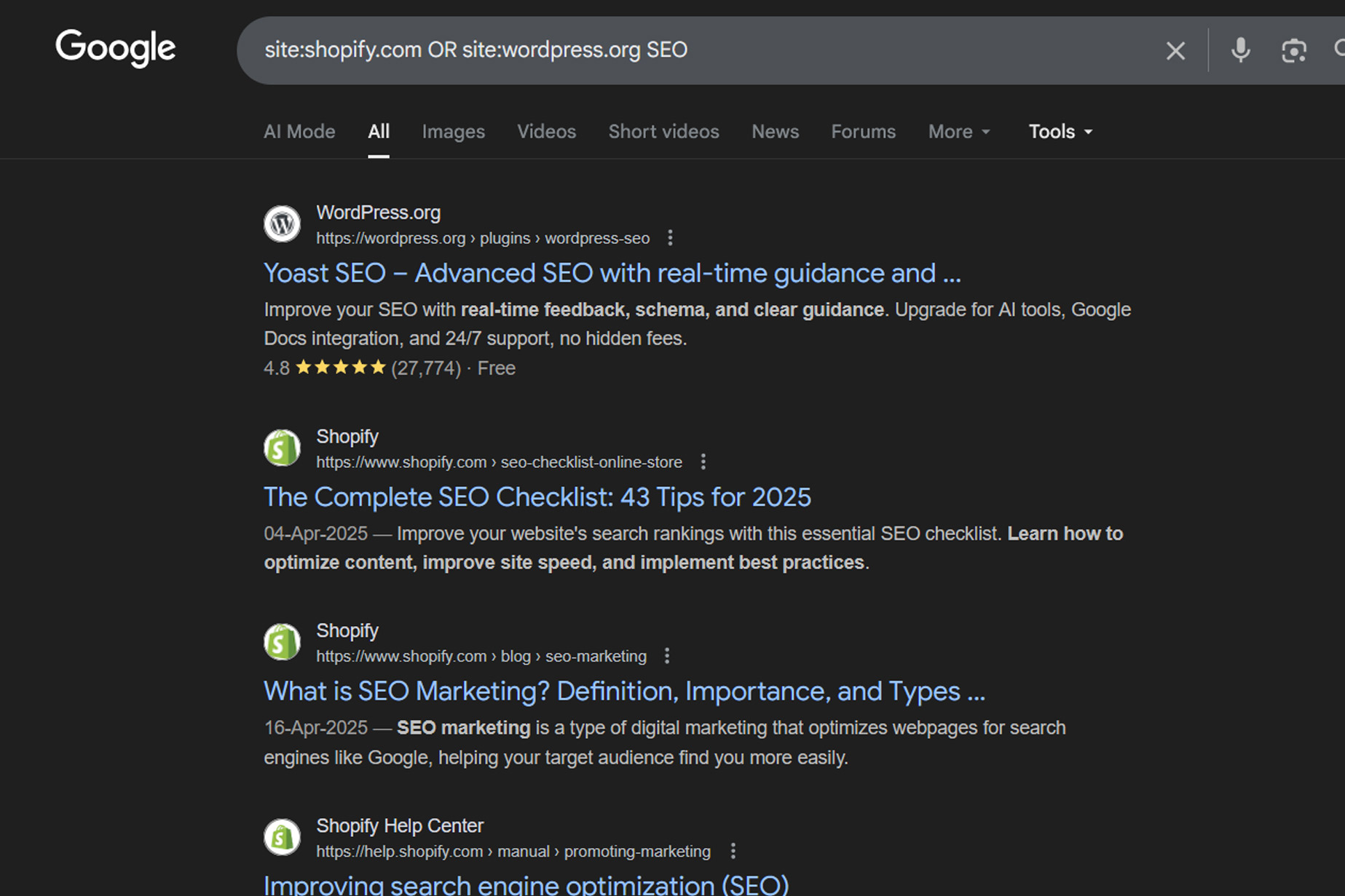
site:shopify.com OR site:wordpress.org SEO
site:defox.pk OR site:saqib.co SEO
site:tosisoft.com OR site:saqib.co SEO
Use Case:
- Comparing how different platforms cover a specific topic.
- Gathering resources from multiple trusted domains.
- Doing competitor keyword research efficiently.
🔍 Combining " " + site: Search Operators
Searches for an exact phrase within a specific website.
How it works:
Quotation marks " " ensure the words appear in the exact order.
site: limits results to one domain.
For Example:
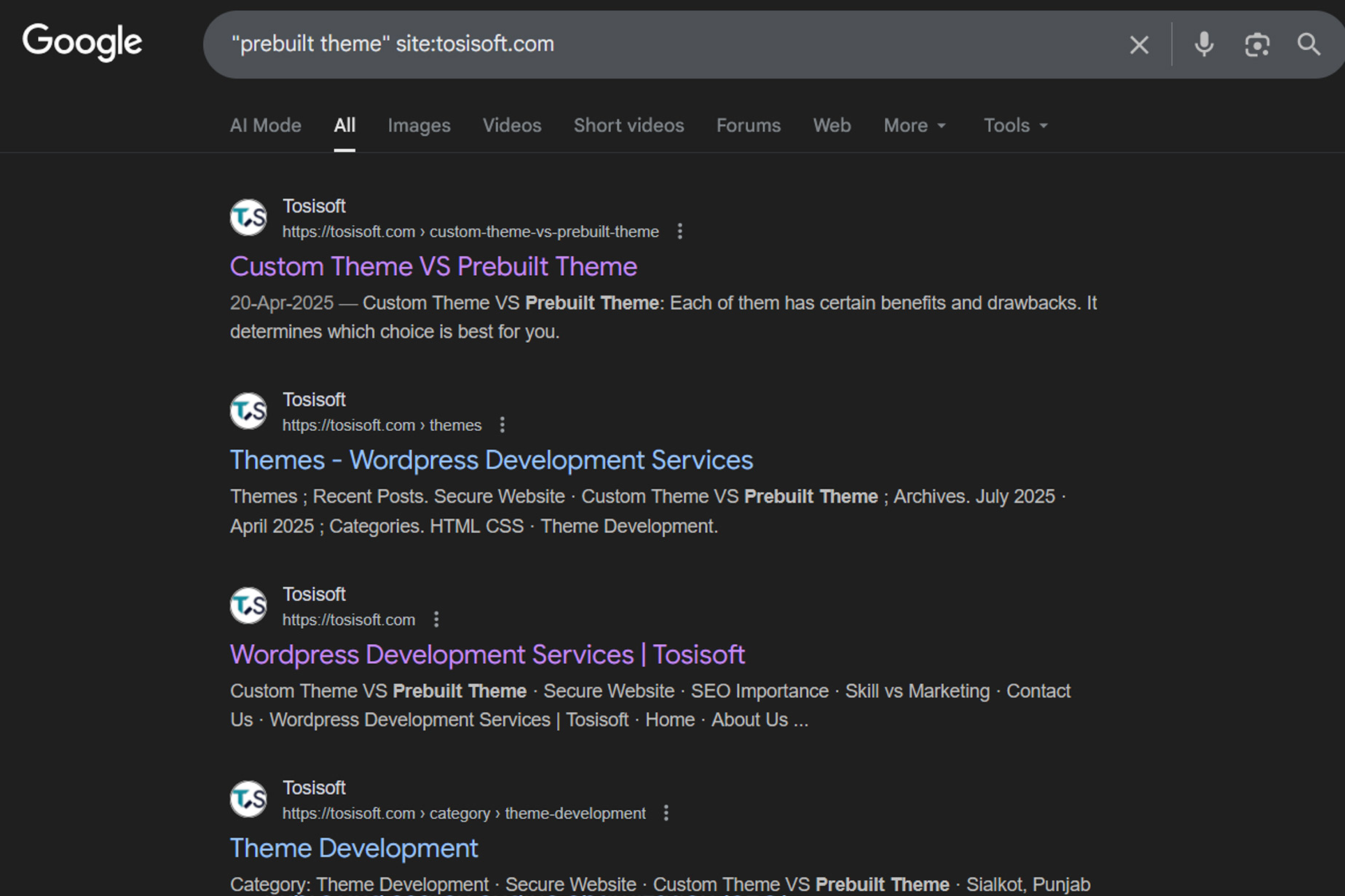
"prebuilt theme" site:tosisoft.com -> goes to custom vs prebuilt theme page of website
"custom code" site:tosisoft.com -> goes to secure website page
Use Case:
- Comparing how different platforms cover a specific topic.
- Gathering resources from multiple trusted domains.
- Doing competitor keyword research efficiently.